How to Make Google Docs Dark Mode on Mobile and Desktop
Google Docs Dark Mode helps reduce eye strain and makes reading or editing documents more comfortable, especially at night or in low-light environments. Whether you use Google Docs on desktop, Android, or iPhone, you can enable dark mode in just a few steps.
In this guide, you’ll learn:
- how to enable Google Docs dark mode on desktop,
- how to turn on dark mode in the Google Docs mobile app,
- how to use dark mode in Chrome or other browsers,
- and how to fix issues if Google Docs dark mode is not working.
Why Use Google Docs Dark Mode?
- Less eye strain during long editing sessions.
- Better focus in low-light environments.
- Battery savings on OLED screens.
- Accessibility support for light sensitivity.
How to Turn On Google Docs Dark Mode on Android
The Google Docs Android app includes a built-in dark mode setting.
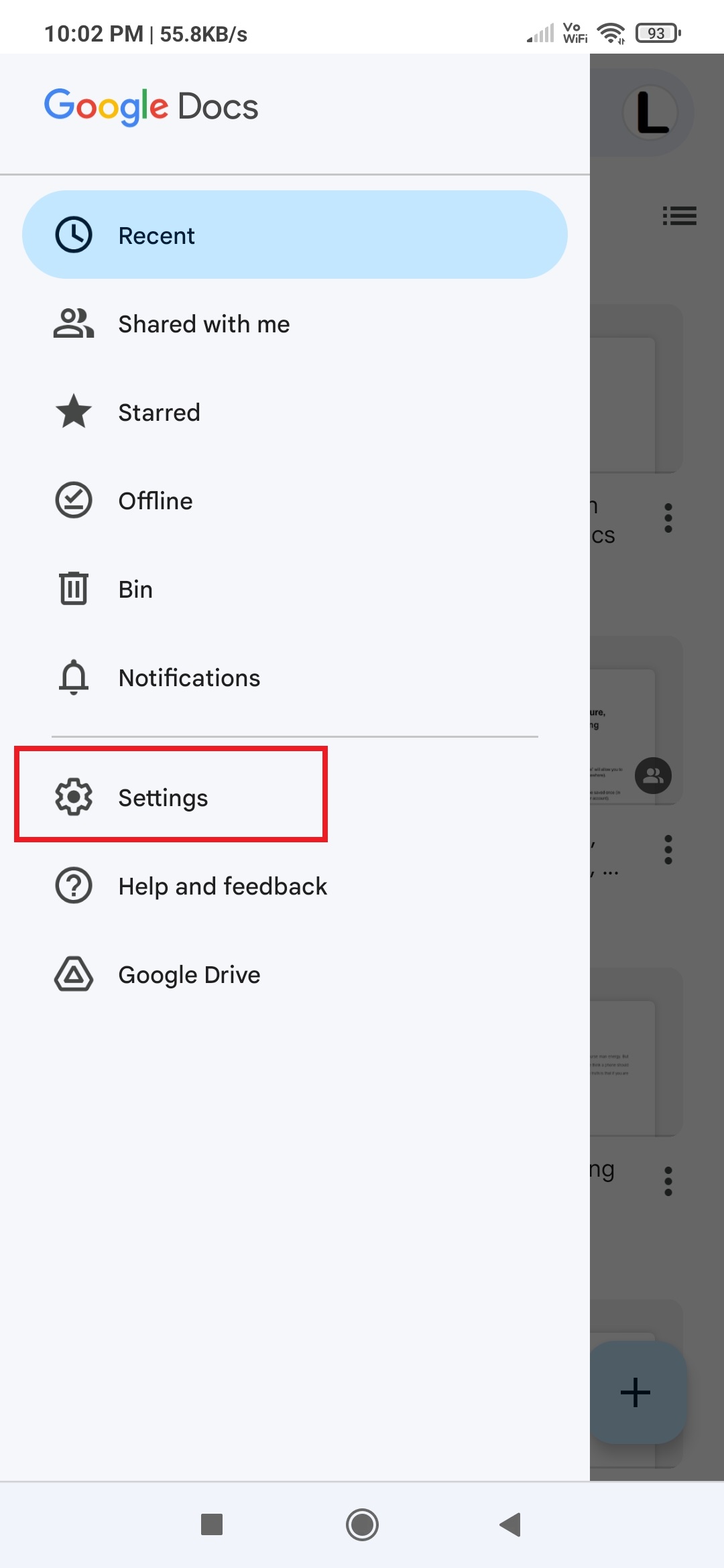
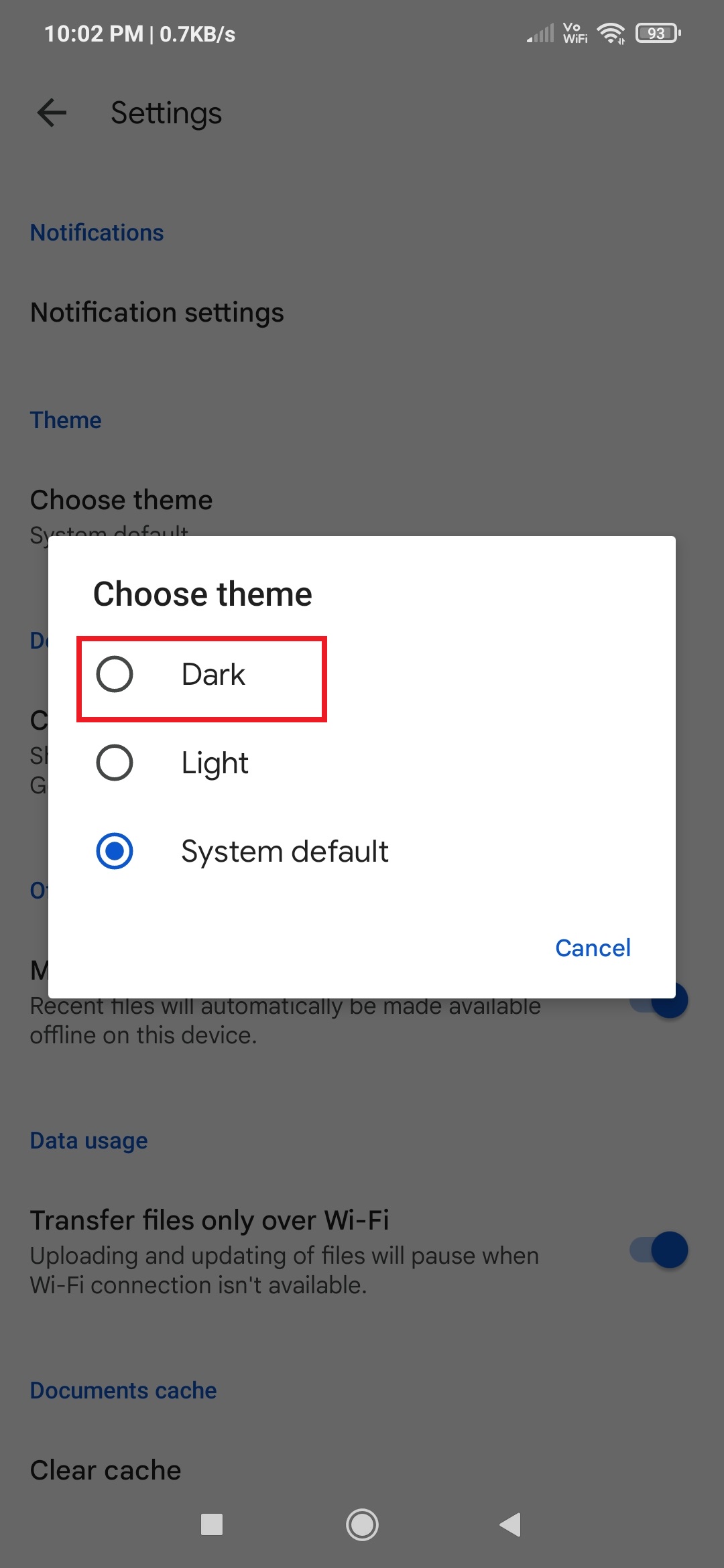
Steps to Enable Google Docs to Dark Mode on Android
- Open the Google Docs app.
- Tap the three-line menu icon in the top corner.
- Open Settings.
- Tap Choose Theme.
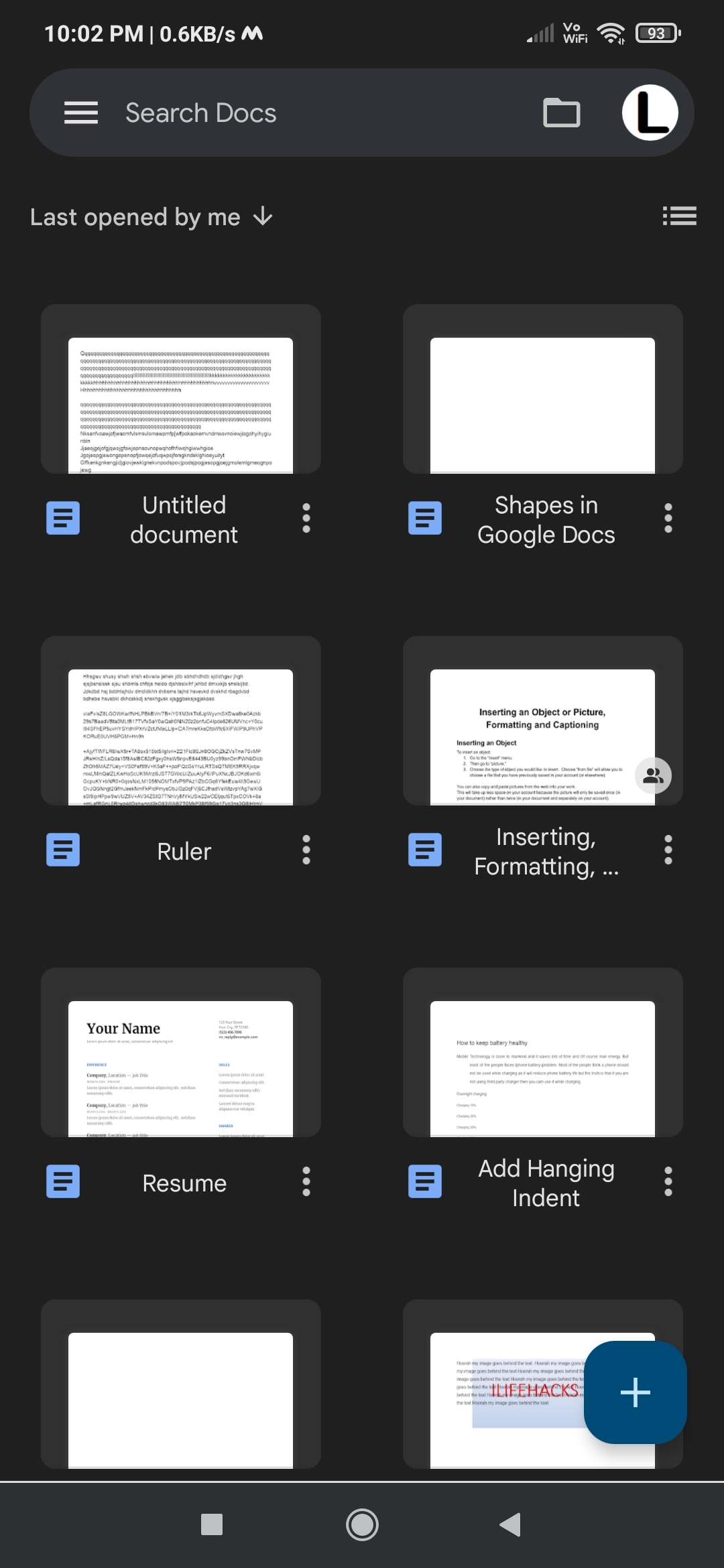
- Select Dark.
The Google Docs app will instantly switch to dark mode.
How to Turn On Google Docs Dark Mode on iPhone
The Google Docs iPhone app also supports dark mode.
Steps to Enable Google Docs Dark Mode on iPhone
- Open the Google Docs app on iPhone.
- Tap the Menu icon.
- Open Settings.
- Tap Theme.
- Select Dark.
Google Docs will now display in dark mode.
How to Make Google Docs Dark Mode on Desktop
In Chrome, Google Docs can be turned ON into dark mode by using two different ways.
Change Chrome Experiments
With this simple tweak, it is easy to enable dark mode in Chrome. This will enable all the websites to work in dark mode or night mode. So whatever sites you visit will open in dark theme.
- Open Google Chrome on your desktop
- Type chrome://flags/#enable-force-dark in the URL address bar of Chrome Browser.
- Under the “Auto Dark Mode for Web contents “change Default to Enabled“.
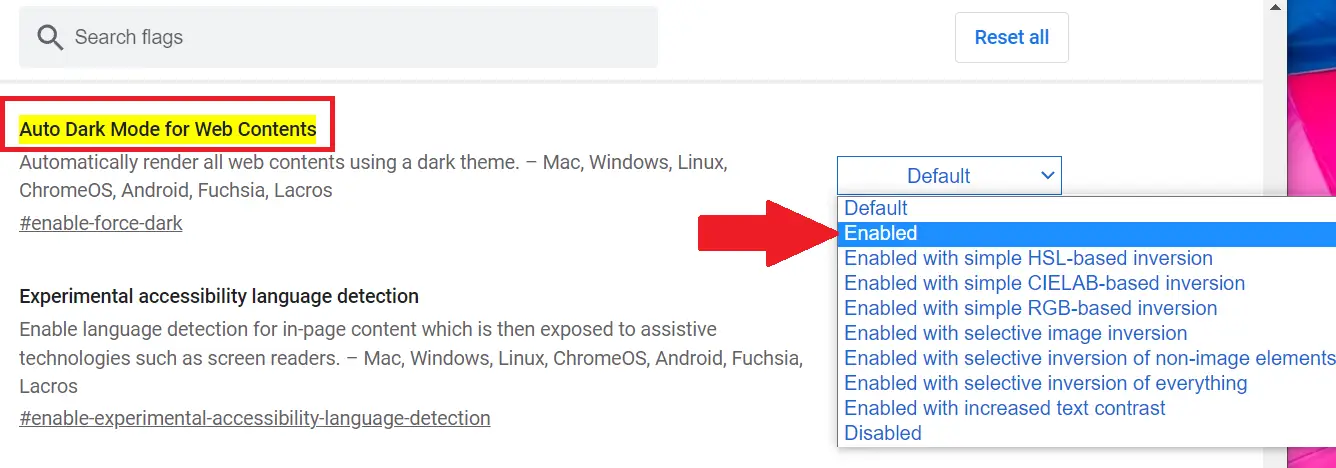
Relaunch the browser to successfully see web contents in dark mode. Open Docs and you will see the Google Docs black background with white fonts on your.
Use Chrome Add-ons
Use the Google Docs Dark Mode extension in the Chrome browser to enable night mode for working on the documents.
Download the extension from Chrome Web Store.
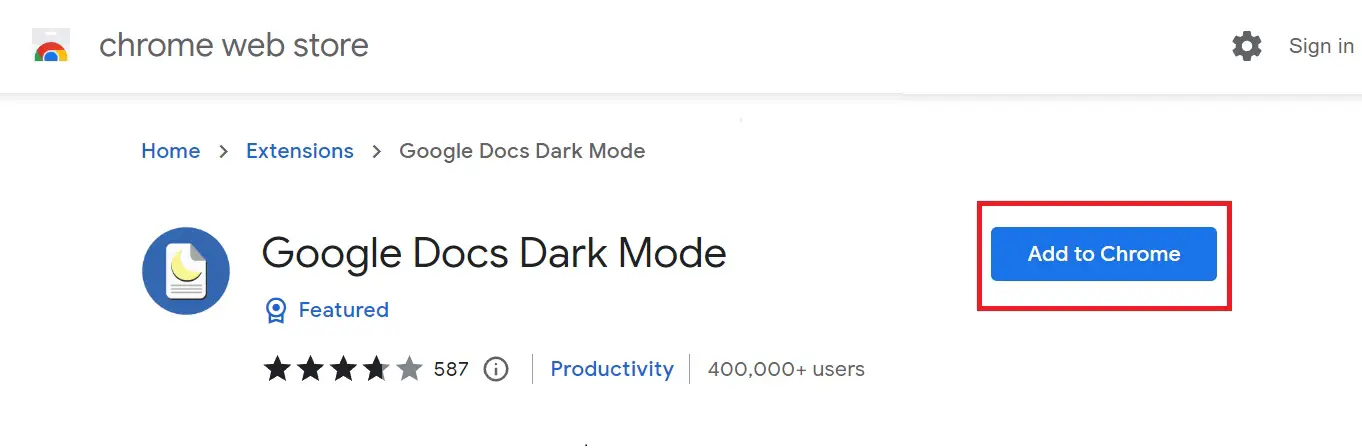
Once you add the extension in Chrome, open Google Docs normally on your PC
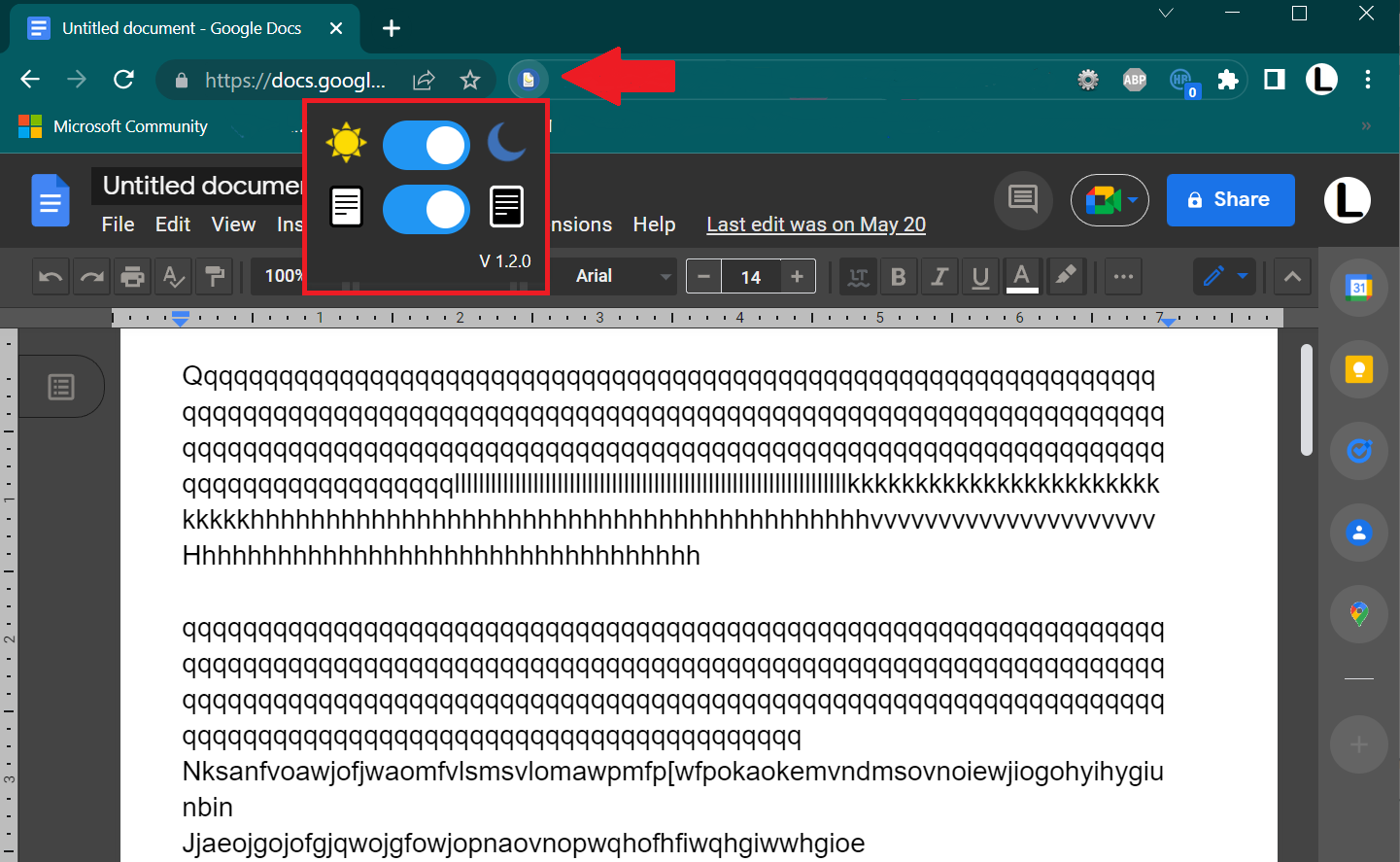
Now all the Google Docs documents open in dark mode, and you can easily switch from light to dark mode.
How to Use Google Docs Dark Mode in Firefox
Firefox doesn’t include a built-in Google Docs dark mode, but extensions like Dark Reader can provide a similar experience.
Open Firefox browser on your PC
Open “Menu” options and click on “Settings”
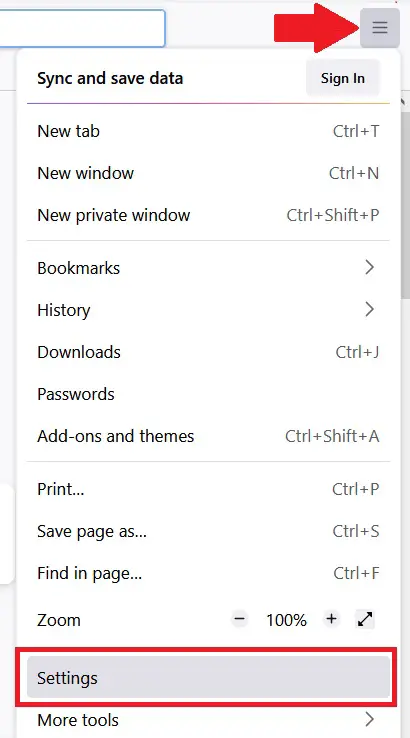
Click on “Extensions & themes” and search for Dark Reader. Add it to the Firefox browser.
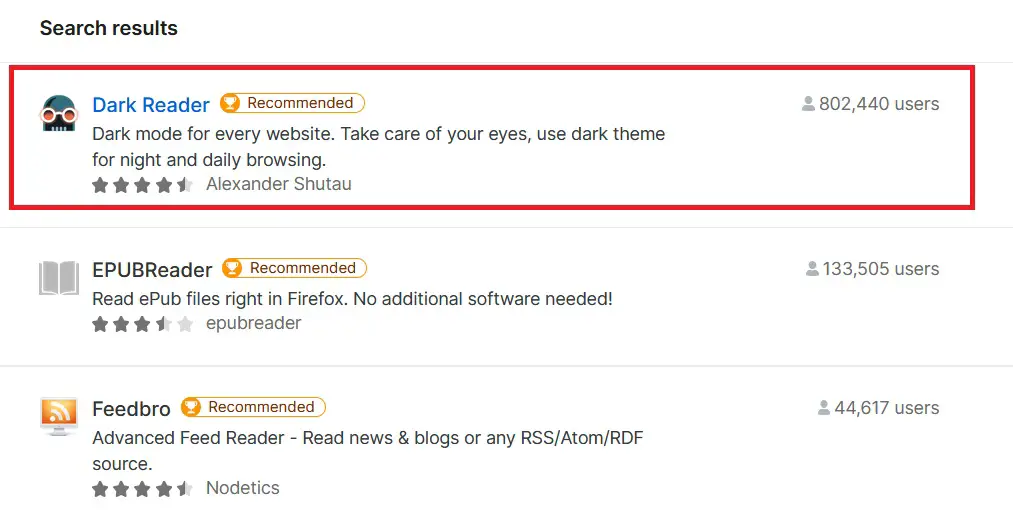
Once the Dark Reader install, open Google Docs normally in Firefox with the black background and white fonts.
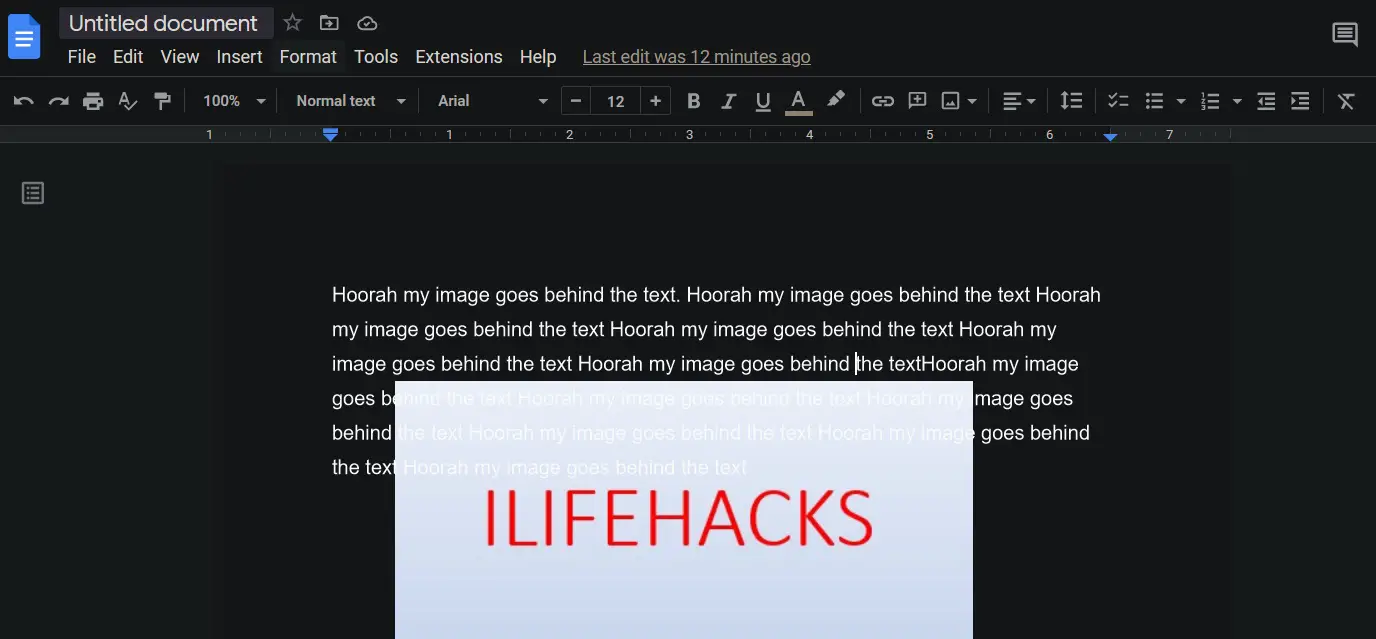
You can also adjust the brightness and contrast with the extension.
How to Put Google Docs in Dark Mode on Mac
If you’re on MacOS, here’s how to make Google Docs dark mode work.
System-Wide Dark Mode
- Go to System Preferences > General.
- Select Dark under Appearance.
- Some browsers like Chrome and Firefox will follow system settings for supported sites.
Safari: Google Docs Dark Mode Mac
- Use Reader Mode (strips formatting but applies dark theme).
- Install extensions like Night Eye to enable dark mode in Google Docs.
How do I turn Google Docs to dark mode on my Mac?
On Mac, you can enable dark mode in Google Docs using your system’s dark mode settings, or by using browser extensions like Dark Reader or Night Eye. Safari requires an extension, while Chrome and Firefox work like PC.
How to make Google Docs dark mode without extension?
On desktop, you can force dark mode using Chrome, Edge, or Opera experimental flags. On mobile, Google Docs has an official dark mode toggle in the app settings.
How do I put Google Docs into dark mode on my Chromebook?
Chromebooks don’t have an official Google Docs dark mode. You can use Chrome’s Force Dark Mode for Web Contents flag or install an extension like Dark Reader to apply a dark theme.
How to make a Google Doc page black?
You can change the page color by going to File > Page setup > Page color and selecting black or a dark shade. Combine this with dark mode for a full dark experience.
Google Docs dark mode is one of the easiest ways to make your writing sessions more comfortable. Whether you’re using mobile apps or desktop workarounds, enabling dark mode helps reduce eye fatigue and keeps you focused.