Type Ē or ē with Macron – Ē (E with Line Over It): Alt Code
The letter Ē (uppercase) or ē (lowercase) — also known as “E with macron” or “E with line over it” — is used in languages like Latvian, Māori, and Lithuanian. That line above the letter (called a macron) usually tells us the vowel is long — like you’re stretching the sound a little more.
If you’ve seen linguistics guides or native terms like kēkē in Māori or spēs in Latin, that’s where the E with a line over it appears.
This article covers all practical ways to type E with line over it (Ē/ē) on your keyboard — including alt codes, shortcuts, Unicode, HTML. Ideal for students, linguists, content creators, and anyone working with special symbols.
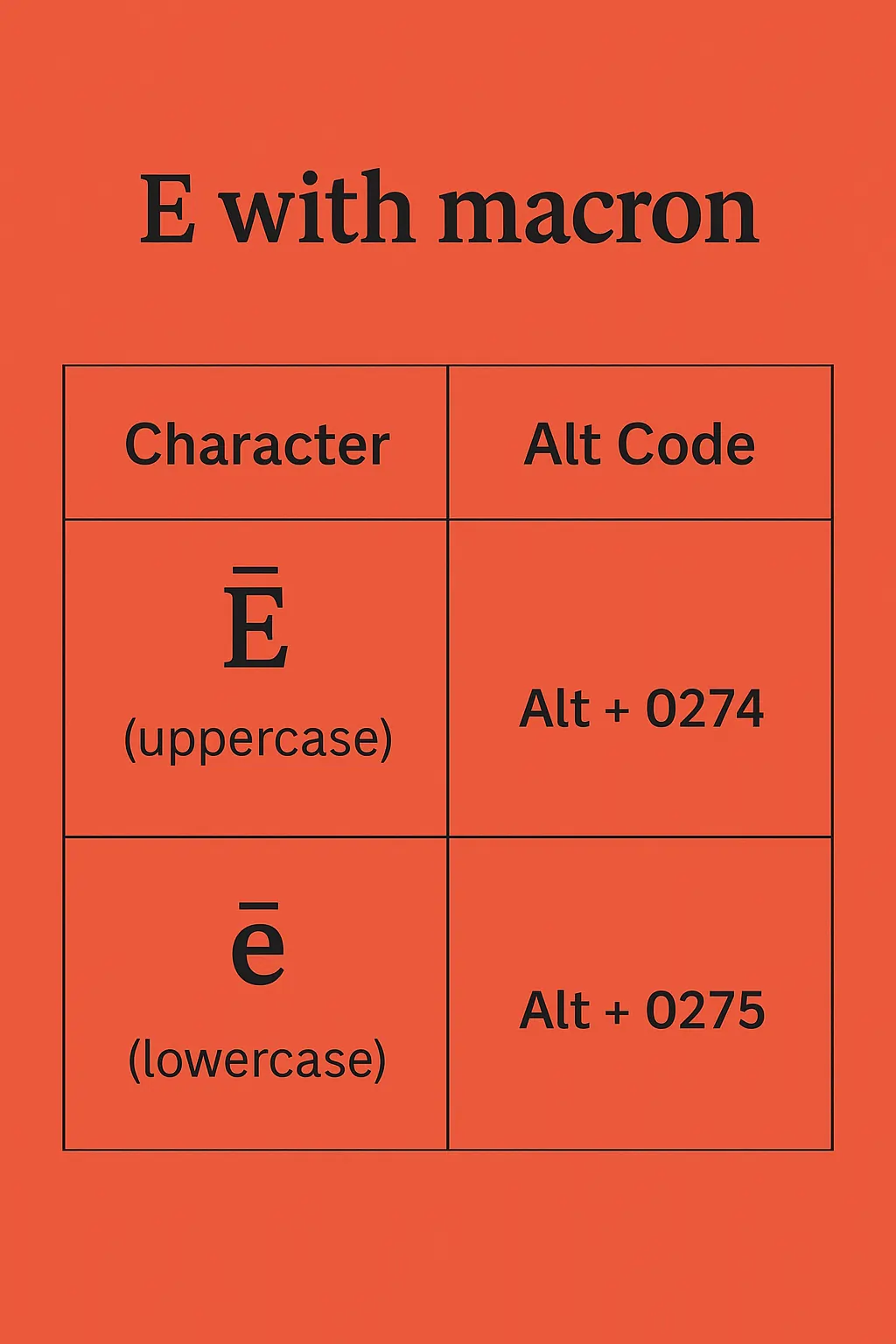
E with Macron Character
Use the E with macron characters copy and paste wherever you need them.
Capital E with Macron: Ē
Lowercase e with Macron: ē
E with Line Over It Alt Code (Windows)
Hold down the Alt key and type the following on your numeric keypad:
| Character | Alt Code |
|---|---|
| Ē (uppercase) | Alt + 0274 |
| ē (lowercase) | Alt + 0275 |
Make sure Num Lock is turned on.
How to Type E with Line Over It on Keyboard
On Windows PCs
Beyond the standard Alt codes, you can use the built-in Unicode shortcut within compatible text editors:
- Type 0112, then press Alt + X to get Ē
- Type 0113, then press Alt + X to get ē
E with Macron in Word
Word supports the same quick Unicode transformation natively within documents:
- Type 0112, then press Alt + X for Ē
- Type 0113, then press Alt + X for ē
On Mac
Mac users have two efficient ways to insert the E with macron (Ē or ē):
- The Accent Menu: Hold down the E or e key until a small accent menu pops up, then select the number corresponding to the macron version.
- Character Viewer: Press
Control+Command+Spaceto open the symbol menu, search for “macron” in the search bar, and select the letter from the results.
Another trick: Press
Option+A(to create a macron), then typeE
E with Line Over It on Mobile (Android / iPhone)
If you’re using a phone or tablet, long-press the letter E on your keyboard. A menu will pop up with accent options. Just slide your finger to select ē.
Note: Some Android keyboards may require changing the input language in Gboard.
Unicode, HTML, and CSS Codes
If you are working in web development, programming, or content management systems (CMS), use these specific codes to render the E with line over it:
| Character | Unicode | HTML Entity | CSS Code | Hex |
| Ē | U+0112 | Ē or Ē | \0112 | Ē |
| ē | U+0113 | ē or ē | \0113 | ē |
Where Is Ē (E with Macron) Used?
- Latin: The macron marks long vowels. For example, spēs means “hope,” and that long “ē” makes a difference in pronunciation.
- Linguistics: In phonetic transcription and academic writing, macrons help show how a vowel should sound—especially in historical or reconstructed languages.
- Baltic Languages: You’ll also spot Ē in Latvian and Lithuanian, as well as in older forms of writing from this region.
What is the symbol Ē?
Ē is the Latin letter E with macron (a line over it). It indicates a long vowel sound.
Does this work on Windows 11?
Yes. All Alt codes and shortcuts mentioned work identically across Windows 7, 8, 10, and 11.
How do I type Ē on Mac?
Use Control + Command + Space > search “macron”, or type Option + A then E
Can I use HTML to insert E with line over it?
Yes. Use Ē or Ē for Ē, and ē or ē for ē.
What’s the difference between É and Ē?
É (E with an acute accent) typically alters the tone, stress, or vowel quality. Ē (E with a macron) strictly dictates vowel length (how long the sound is held).
Need the accented version instead? See E with accent. For the same macron mark on a different vowel, check O with macron (Ō).