How To Type U with Two Dots (Ü) – U Umlaut Alt Code, Shortcut
The letter ü (called u umlaut, u with two dots, or u with diaeresis) is a special character used in languages like German and Turkish. If you need to type, insert, or copy ü on Windows, Mac, phone, or online, this guide covers the fastest methods.
What Is U with Two Dots (ü) Called?
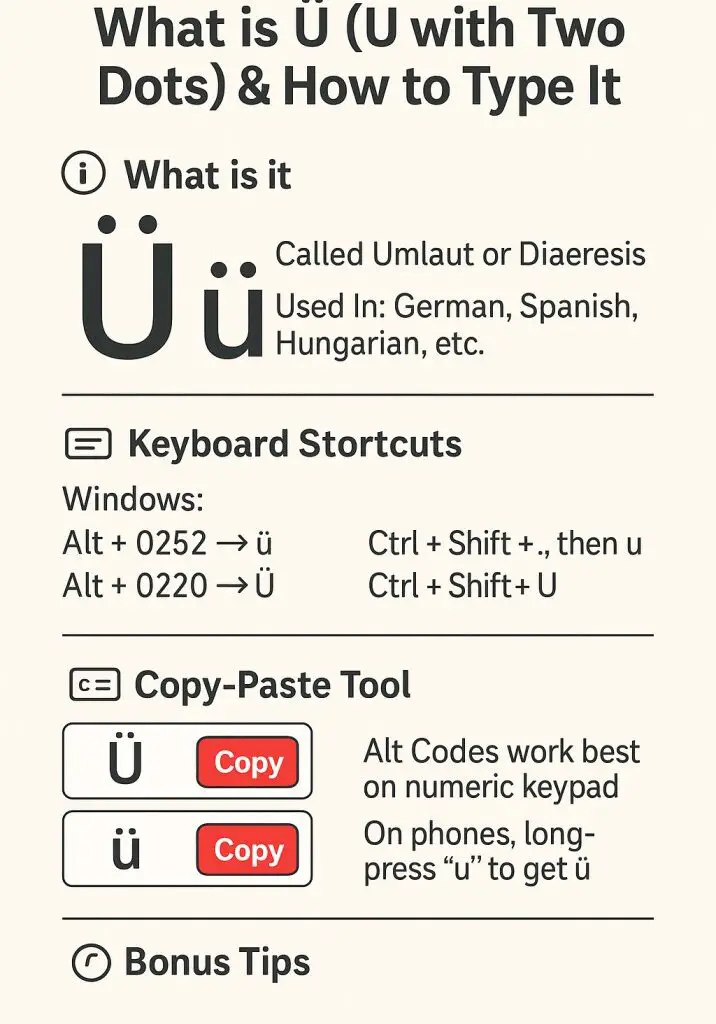
The “U with two dots” is officially called Ü (uppercase) or ü (lowercase). The two dots are technically called a diaeresis. In German, when used in letters like ü, they are commonly called an umlaut.
- In German, it’s an umlaut and changes how the vowel is pronounced.
- In Spanish, it appears rarely, such as in vergüenza, to indicate that the “u” is pronounced.
- In linguistics, it helps clarify pronunciation across many languages.
How to Type U Umlaut on Windows (Alt Code)
If your keyboard has a numeric keypad, you can use the Alt code method:
- Lowercase ü: Hold Alt and type 0252 → ü
- Uppercase Ü: Hold Alt and type 0220 → Ü
Make sure Num Lock is ON. This only works on the numeric keypad (not the number row at the top).
How to Type ü on Mac (U with umlaut)
On macOS, you can type “ü” using the Option key combinations:
- ü (lowercase): Option + u, then u
- Ü (uppercase): Option + u, then Shift + U
Press Option + u first, release, then type the letter “u”.
How to Insert ü in Google Docs, Word, and Gmail
Google Docs
- Click on the position where you want the character.
- Go to Insert > Special characters.
- Search “u with two dots” “u umlaut” or just “ü”.
- Click to insert.
Microsoft Word
To type ü (lowercase)
Press Ctrl + Shift + : → release → press u → outputs ü
To type Ü (uppercase)
Press Ctrl + Shift + : → release → press Shift + U → outputs Ü
Gmail (Windows/Mac)
- Use Alt code (Windows) or Option shortcut (Mac), OR
- Use emoji/symbol panel (right-click > Emoji > type ü)
Unicode and HTML for ü
If you’re coding or using ü in websites or documents, here are the technical formats:
- Unicode (lowercase ü):
U+00FC - Unicode (uppercase Ü):
U+00DC - HTML Entity ü:
ü - HTML Entity Ü:
Ü
Languages That Use ü
- German: Common in words like “München”, “für”, and “über”.
- Turkish: Found in “tür”, “gül”, “mühendis”.
- Hungarian: Used in “fül”, “tükör”, etc.
- Estonian, Catalan, Spanish (loanwords): Occasionally used
The pronunciation of “ü” differs across languages but usually involves a front-rounded vowel, unlike standard “u”.
FAQ – U with Two Dots (ü)
What is the U Umlaut?
The U umlaut (ü) is the letter U with two dots above it. It is used in languages such as German, Turkish, and Hungarian, where it changes pronunciation.
What Is the Alt Code for Ü?
On Windows, hold Alt and type 0252 for ü, or 0220 for Ü.
How Do I Type Ü Without a Numeric Keypad?
Use the Character Map on Windows or copy-paste from this page.
On Mac, press Option + u, then u.
When should I use U Umlaut vs. Diaeresis?
The two dots above ü are technically called a diaeresis, but in German usage they are commonly called an umlaut. If referring to the German letter ü, “u umlaut” is usually the correct term.
How to Pronounce ‘U’ With Two Dots?
In German, ü is pronounced like a front-rounded vowel — similar to saying “ee” with rounded lips.
Need other U accents? Check our full guide here: How to Type U with Accent (Ú, Ù, Û, Ũ, Ü)